FlightDeck
A complete browser-based companion for X-Plane 12: pre-flight lounge, flight planning, weather radar and a modular cockpit you can fan across multiple monitors. Built for serious home cockpits — open to the first 50 beta testers.
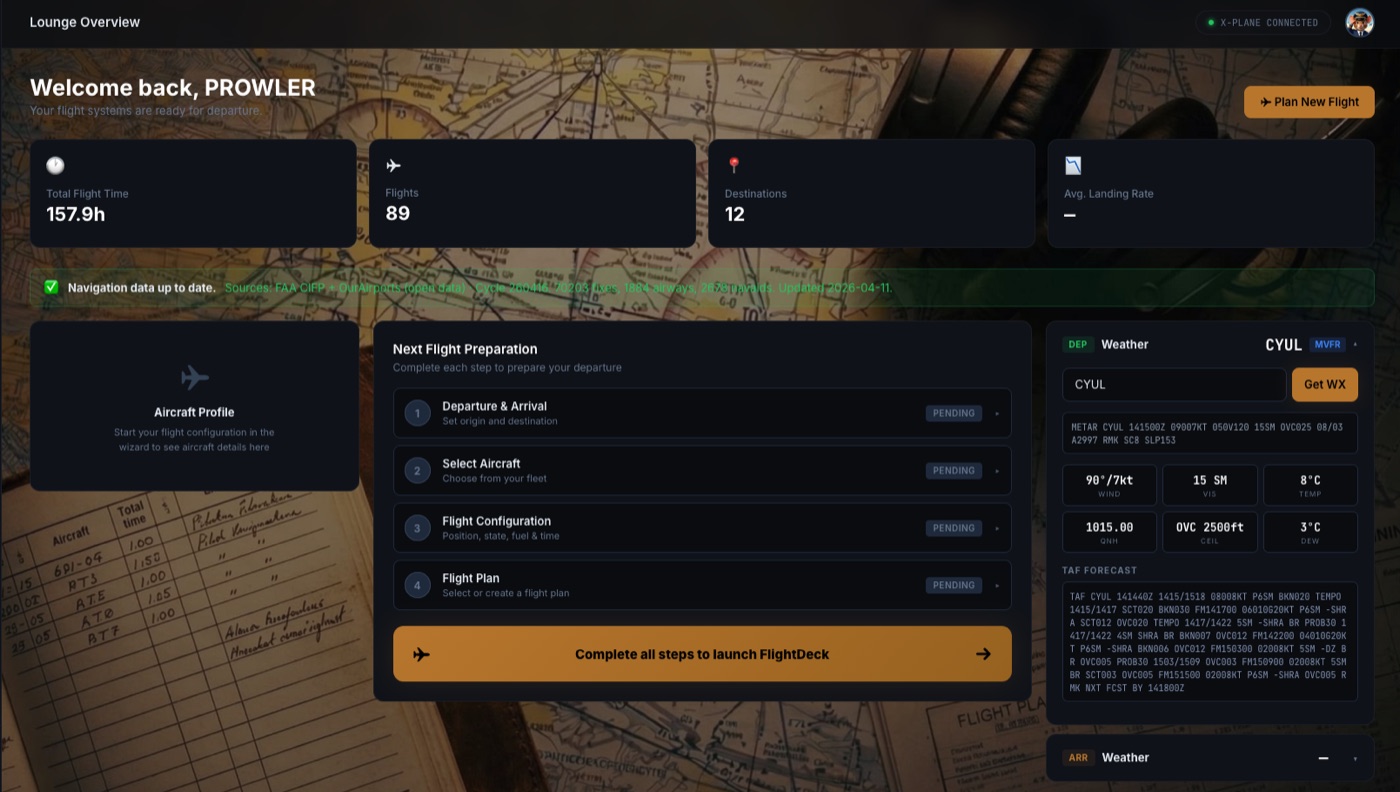
A walk through FlightDeck
Lounge, flight planning, weather, dispatch — and the cockpit that ties it all together.
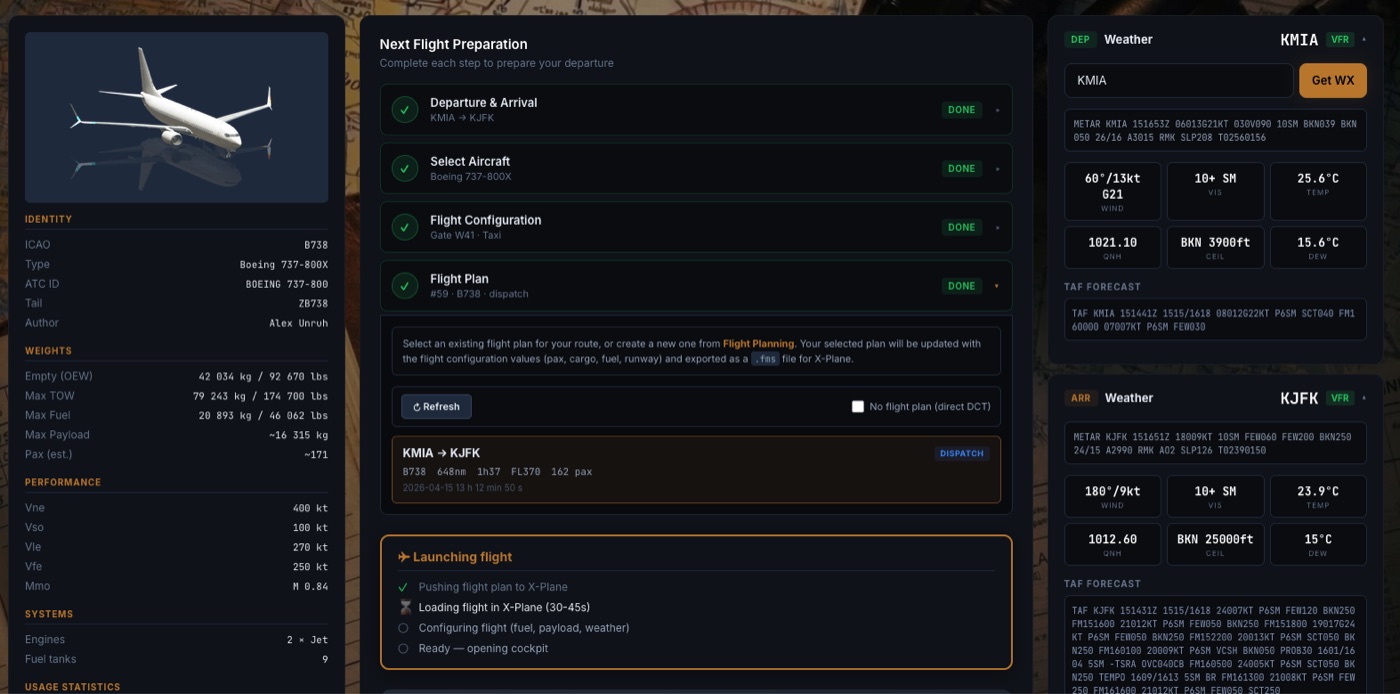


Built for serious home cockpits
Not a toy gauge — a complete pre-flight + flight + cockpit companion.
Multi-monitor builders
You have 2, 3 or 4 screens around your sim. FlightDeck fans the PFD, ND, EICAS and side-panels across them like a real 737.
Procedure pilots
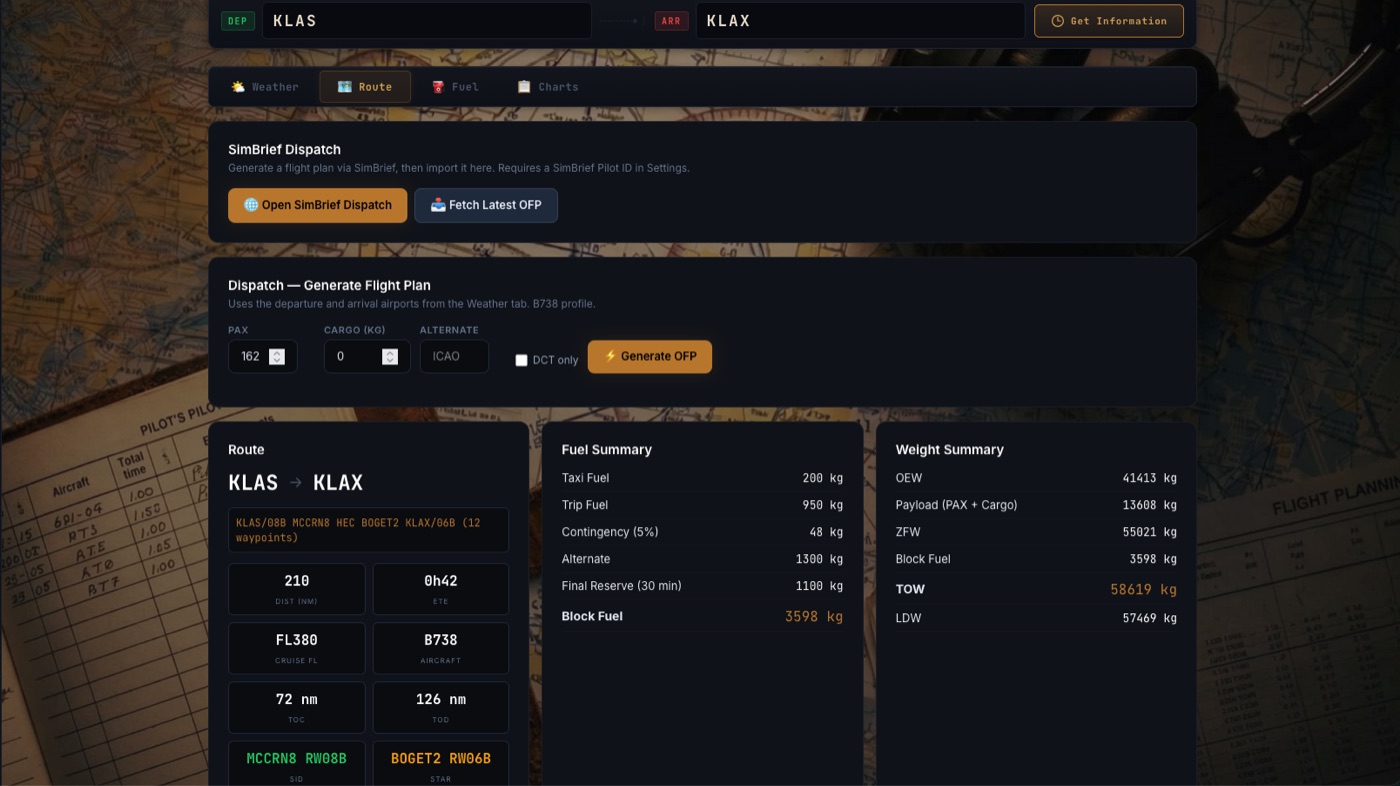
SimBrief dispatch is built in. Briefing, route, fuel, weight — generate it in 10 seconds, then run the launch checklist.
Two-pilot setups
Captain and First Officer instrument panels render together with the outside world centered between them. Hand-fly with someone else.
How it works
Three pieces. One cockpit.
-
1
Install the FlightDeck-Bridge plugin
A small
.xplplugin runs inside X-Plane 12 and pipes datarefs to your browser via WebSocket. -
2
Open the Pilot Lounge
Browse to flightdeck.aerosim.ca, sign in, prepare your flight: aircraft, route, fuel, weather. SimBrief is built in.
-
3
Launch the cockpit
Drop widgets onto each monitor (PFD, ND, EFB, throttle quadrant, virtual yoke). Save the layout. Fly.
What's in the box
A pre-flight lounge, a real cockpit, and a bridge to your simulator.
Modular widgets
PFD, ND, EICAS, MCDU, audio panel, throttle quadrant, virtual yoke, EFB tablet — drop and resize anywhere on any screen.
Saved layouts
Edit mode lets you place widgets pixel-perfect, then save the layout per aircraft. Switch sims — your cockpit follows.
SimBrief dispatch
Generate a flight plan from KLAS to KLAX, get fuel and weight summaries, push the route to your aircraft.
Aviation weather map
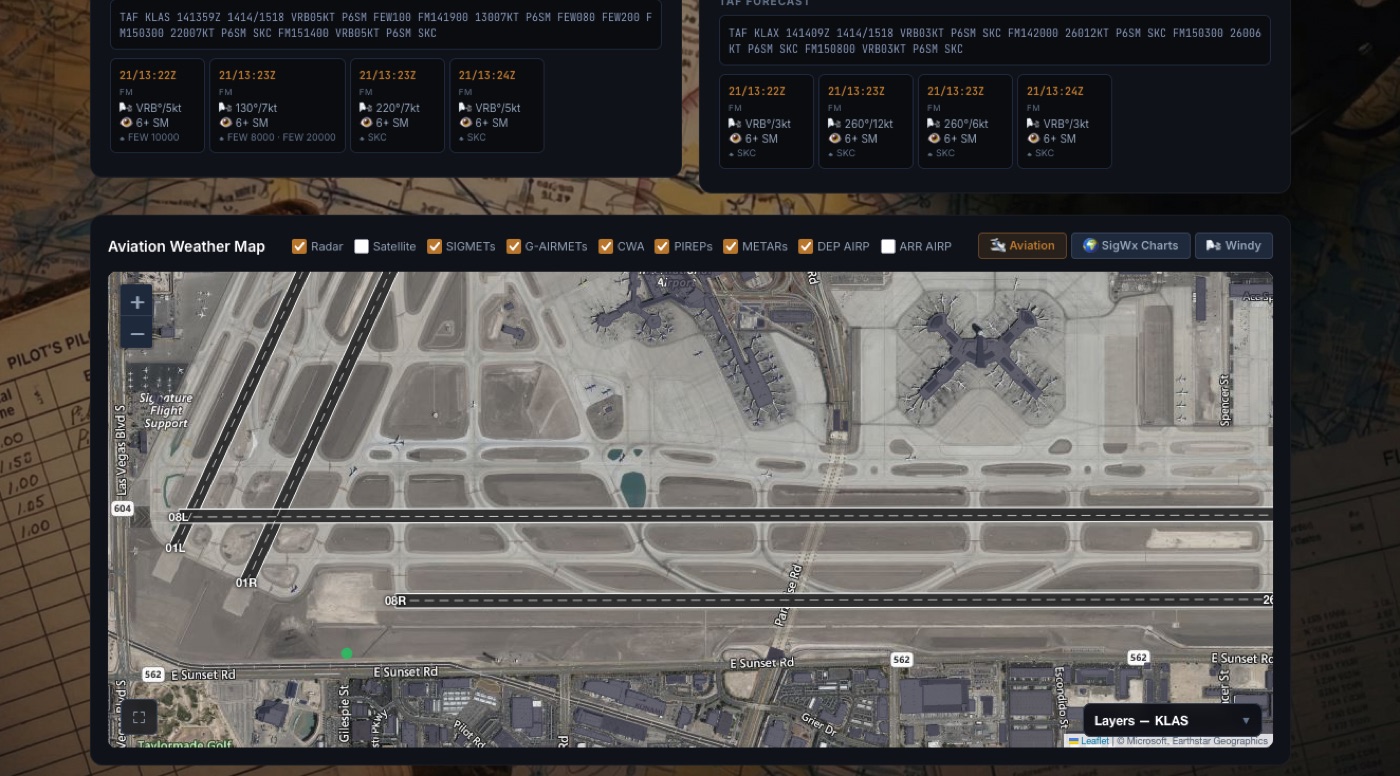
Live satellite, RainViewer radar, METAR/TAF overlays. Plan around weather before you push back.
Real-time bridge
WebSocket between the X-Plane plugin and your browser pushes dataref updates with no polling lag.
Multi-monitor friendly
Open one window per monitor, log in, switch to your saved layout per screen. Built for ultrawides and triple-head setups.
Your sim, your machine, your data
- Datarefs from X-Plane stay between your plugin and your browser. We relay them, we don't store them.
- Account data, layouts and flight logs are stored on the FlightDeck server in Germany (Hetzner).
- No advertising, no third-party trackers. Same privacy stance as the rest of aerosim.ca.
Become one of the first 50 FlightDeck testers
Free during beta. 0 of 50 spots remaining.