CDU Remote
A pixel-perfect Boeing 737 CDU in your browser, controlling X-Plane in real time over WebSocket. Plug in a tablet, mount it next to your screen, and stop hunting for clicks in the virtual cockpit.
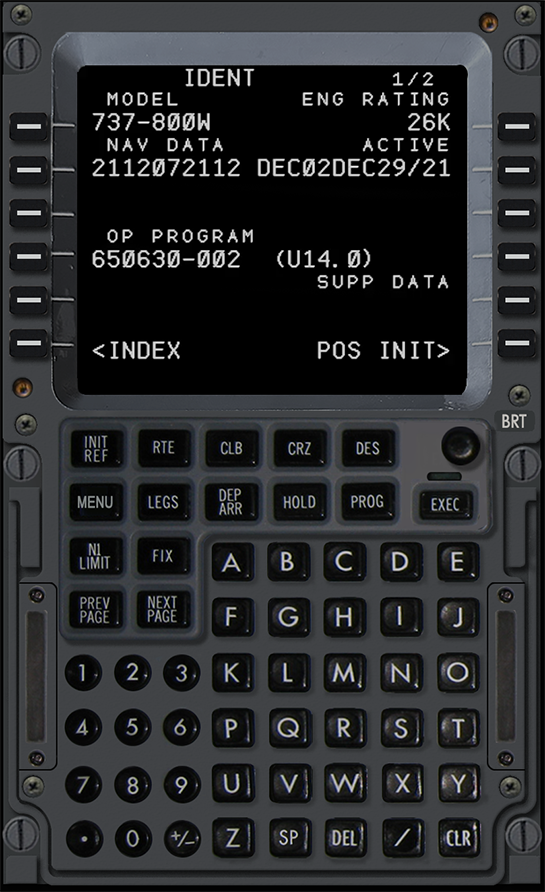
Built for solo virtual pilots
Anyone who flies the 737 from home and wants a real CDU experience without buying hardware.
Tablet pilots
Mount an iPad or any touchscreen next to your monitor. Tap LSKs and clear messages without leaving the cockpit view.
Budget cockpit builders
A hardware CDU costs $1,500–$3,000. CDU Remote runs on the second-hand tablet you already own.
Long-haul SimPilots
Punch in waypoints from the couch, monitor PROG pages while your pizza arrives. The view in your sim stays clean.
How it works
Three steps. Most pilots are flying within five minutes.
-
1
Enable X-Plane Web API
Inside X-Plane 12, enable the built-in Web API (it's already there — no plugin to install).
-
2
Open CDU Remote
Sign in on aerosim.ca, launch CDU Remote, point it at your sim's IP. The browser connects via WebSocket on port 8086.
-
3
Fly
Type, tap LSKs, watch the CDU display update in real time. Every keystroke goes straight to the Zibo's FMC.
What's under the hood
Built like a real CDU — pixel coordinates, hitboxes, datarefs.
Pixel-perfect bezel
Every key, LED and screen pixel matches the Zibo CDU. Hitboxes scale with your screen so taps land where they should.
Real-time WebSocket
Direct WebSocket to X-Plane v3 API. Push updates instead of polling — no input lag.
86 datarefs wired
All LSKs (6 left + 6 right), the full alpha-numeric keypad, EXEC, MENU, NEXT PAGE, PREV PAGE, and the LED indicators (MSG, OFST, FAIL, EXEC).
Responsive
Phone, tablet, ultrawide. The CDU centers itself and keeps its proportions on every form factor.
Saved layouts
Your preferred IP, scale, and position are stored in your account — no re-typing on each session.
Same-network setup
No tunnel, no port-forward. Your tablet and your sim talk directly over your home Wi-Fi.
Your sim data never reaches our servers
- The CDU connects directly from your browser to your X-Plane on your home network.
- Position, altitude, speed, FMC inputs — none of it is logged or transmitted to aerosim.ca.
- We only store your account, your saved layouts and the auth token your browser uses to log in.
Ready to fly the Zibo with a real CDU?
Free during the public beta. No credit card. Sign up takes 30 seconds.